Resources
Guides you can act on today
Step-by-step playbooks for getting more Google reviews, fixing your Google Business Profile and showing up first in local search. Each one has the steps written out and the video if you would rather watch.
- Guides
- 37
- Topics
- 5

Newest guide · October 4, 2026
How to Get More Customers From Google Without Ads: Get Found, Chosen, BookedRead the 12 steps →What do you want to fix?
37 guides
- 62 min video12 steps
Local SEO
How to Get More Customers From Google Without Ads: Get Found, Chosen, Booked
Google, and AI search, need to know three things about your business: what you do, where you do it, and that you are good at it. Tell them with the right primary category, a complete Google Business Profile that agrees with your website, and a steady flow of reviews from your customers. Then make the website easy to book from, with real photos and a quote form that asks one question at a time.
 5 min video12 steps
Review Harvest Guides
Review Harvest Walkthrough: Every Screen From Review Requests to Social Posts
Set up Review Harvest in this order: add a personalized image to your review request, leave smart messaging on, then load your past customers for a review reactivation. After that, connect your integration so each new customer gets a request when a job is completed or paid. From the same account you can adjust request timing and follow-ups, have four and five star reviews answered for you, embed review widgets on your website and post new reviews to Facebook and Instagram.
 5 min video8 steps
Local SEO
How to Get Citations and Local Backlinks: Directories, Vendors, Guest Posts
A citation is anywhere your name, address and phone number are listed online, and a backlink is anywhere another website links to yours. Get citations by buying a directory listing package and having the listings indexed, with details that match your Google Business Profile exactly. Get local backlinks by joining the Chamber of Commerce, trading preferred vendor links with businesses you trust, and writing guest posts for local blogs. None of it matters without steady Google reviews and an optimized profile.
 9 min video8 steps
Local SEO
Why Competitors Outrank You on Google Maps: A Search Result Teardown
To see why other businesses outrank you, pull a ranking report for your main search and open each profile above you. Check five things: whether the main keyword is in the business name, the primary category, whether an address is listed and how close it is to the center of the city, how many reviews they have and how often new ones arrive, and whether the website uses the service and city. In a teardown of appliance repair in Columbus, Georgia, the business ranking first had the most reviews, the keyword in its name, an address near the center, and no website at all.
 14 min video12 steps
Review Harvest Guides
How to Post Google Reviews to Facebook and Instagram With Review Harvest
Connect your Facebook and Instagram business pages in Review Harvest, choose which days and what time to post stories and feed posts, and build templates from your own photos. With auto posting on, Review Harvest picks five-star reviews that are long enough and positive enough, drops each one into a template and posts it. With manual approval on, you approve or edit each post in the review queue. The screens here are from a preview of the feature, so they may look different now.
 6 min video7 steps
Google Reviews
How to Respond to Negative Google Reviews (All Three Kinds)
Write your reply for the next customer reading it, not for the person who left the review. Wait until you have cooled down, apologize, and invite them to contact you so you can make it right. If you have no record of them, say so politely in the same reply. The only sure way to get a review removed is for the person who wrote it to take it down, so call them and fix the problem.
 4 min video3 steps
Google Reviews
Why You Should Never Buy Fake Google Reviews, and How Google Catches Them
Do not buy Google reviews. Google filters fake reviews automatically and about 90% of them end up removed, the FTC can fine a business for them, and they can get your Google Business Profile flagged or banned. Fake reviews also make it harder to win back real reviews that Google filtered by mistake. Ask the customers you already have for real reviews instead.
 10 min video5 steps
Marketing
The 5 Marketing Priorities for a Home Service Business, in Order
Work on five things in this order: optimize your Google Business Profile, get quality reviews every week, follow up with every lead by automated text and email, make your website clear about the next step and about what you do and where, and stay somewhat active on social media. The Google Business Profile comes first because it is the easiest to fix and is where many home service businesses get most of their customers.
 5 min video7 steps
Local SEO
Google's Local Ranking Factors: Relevance, Distance and Prominence
Google says local ranking comes down to relevance, distance and prominence. In its updated tips page the prominence section is shorter, drops the specific wording about citations and directories, and says that more reviews and positive ratings can help your local ranking. To act on it, fill out your Google Business Profile completely, make your website say the same thing, list your service areas, get reviews every week, and build local backlinks and citations.
 11 min video12 steps
Review Harvest Guides
How to Connect Markate to Review Harvest With Zapier
Review Harvest has no direct Markate integration, so the two are connected through Zapier. Create a Zapier integration in Review Harvest, enable the Zapier connector in Markate, and build one Zap: the trigger is Markate's Work Order Completed and the action is Review Harvest's Send Review Request, with phone, first name, last name and email mapped across. After that, export your Markate customer list as a CSV and upload it to Review Harvest to ask past customers for reviews.
 3 min video4 steps
Google Reviews
Does Responding to Google Reviews Help You Rank Higher?
No. For the most part, responding to Google reviews makes no noticeable or substantial difference to where you rank, and putting keywords in your replies does not either. Reply anyway, because people reading your reviews are more likely to hire a business that answers them thoughtfully, and how you handle a negative review tells them how you will treat them.
 25 min video12 steps
Local SEO
How to Audit Your Local SEO: Reviews, Google Business Profile, Website
Audit three things in order: your reviews, your Google Business Profile and your website. Compare your review count and rating with the business ranking first in your area, fill in every part of the profile (hours, photos, products, posts, social links), then check that your homepage has a clear title, a meta description, one H1 with your service and city, and a page for each service. The same fixes came up for all three businesses audited: more reviews, the right main category and keyword, citations, and consistency between the profile and the website.
 8 min video11 steps
Review Harvest Guides
How to Set Up Review Harvest With Jobber and Reactivate Past Customers
To set up Review Harvest with Jobber, add the Jobber integration, choose triggers that fire after the work is done (job closed, visit completed, invoice paid), and connect your account. Then import your past clients, upload a personalized image, check your business name, and start the reactivation. Finish by setting the request timing and follow-ups and adding the review widgets to your website. The whole setup is meant to take about 10 minutes.
 10 min video10 steps
Google Reviews
How to Get a Fake or Unfair Google Review Removed: 5 Ways to Try
Report the review from your Google Business Profile, then use Google's review management tool to check the decision and appeal it with context and files. If the appeal fails, post your case ID in the Google Business Profile support community and ask for it to be escalated. The only method that works every time is the reviewer changing or deleting the review themselves, so if you can reach them, call and work it out.
 6 min video12 steps
Google Reviews
How to Fill Out Google's Missing Reviews Form and Get Reviews Reinstated
Sign in with the email that manages your Google Business Profile, go to support.google.com/business, click Contact us, choose Review missing, and pick the email option to open Google's form. Fill in your business details, your Business Profile ID, the names of the reviewers whose reviews are missing, and a description of what happened. Reviews have come back in less than 24 hours and have also taken weeks, so give it about 10 business days before you submit again.
 6 min video8 steps
Google Business Profile
Make a Keyword in Your Google Business Name Stick: DBA, Website, Logo, Citations
Adding your main keyword to your Google Business Profile name can move you onto the first page within hours, but on its own it is keyword stuffing, which is against Google's terms and can get your name changed back or your profile soft suspended. The right way is to get a DBA that includes the keyword, then use that exact name on your profile, your website, your website logo and every directory listing. If Google changes the name, appeal with the DBA paperwork.
 5 min video7 steps
Google Reviews
The Google Review Request Text Message: What to Say and When to Send It
Ask every customer for a Google review by text, and by email as well, at the moment they are happiest with the work. Keep the message short, make it personal, and follow up each day until they leave the review, because almost 40% of reviews come from follow-up messages. Then give someone the job of replying to reviews and reusing them on your website and social media.
 13 min video7 steps
Local SEO
7 Website Fixes That Help Your Google Business Profile Rank in the Map Pack
Every change you make to your website should help your Google Business Profile rank higher in the local pack. The seven with the highest impact for the least effort are: a title tag and meta description that match your profile, one keyword-rich H1 per page, persuasive copy, a page for each service area, internal links to the page your profile points to, a Google Map embed in the footer, and the same name, address and phone number everywhere.
 13 min video7 steps
Google Business Profile
A 7-Point Google Business Profile Checklist to Outrank Local Competitors
Set the right primary category, add every additional category that fits, get your main keyword into your business name the right way, list long and consistent hours, add services, add products that link to your service pages, and fill out the rest of the profile. Most of it is one-time setup. Then keep getting reviews, because a competitor with far more reviews still gets the first click.
 3 min video8 steps
Google Business Profile
How to Add Photos to Your Google Business Profile (and Remove One)
Log in to Google with the email that manages your Google Business Profile, type your business name into the search bar, and on the Your business on Google page click Photos, then Add photos. New photos show as pending for anywhere from 5 minutes to a couple of hours while Google processes them. You can delete photos you uploaded yourself, but a photo that came from a customer's review can only be removed by reporting that review.
 13 min video12 steps
Google Business Profile
How to Set Up a Google Business Profile Step by Step
Sign in to Google with an email you will always have access to, search for Google Business Profile, and click Get listed on Google. Then work through the setup screens in order: business name, business type, main category, address, phone and website, verification, services, hours, description and photos. Your main business category and your business name are major ranking factors, so match your category to the one your top competitors use.
 2 min video7 steps
Google Business Profile
How to Find Which Email Manages Your Google Business Profile
If the "Your business on Google" edit panel does not show up, you are logged in with an email that is not an owner or manager of the profile. Search your business on Google and click "Own this business", or go to business.google.com, click Get started and type your exact business name. Both show a hint of the email that manages the profile, so you can log in to it or request access.
 2 min video7 steps
Google Reviews
How to Create a Google Review Link for Your Business
Google gives every business a review link that takes a customer straight to the page where they leave a review. Sign in with the email that manages your Google Business Profile, search for your business name or "my business", and on the Your business on Google dashboard open Ask for reviews. Copy the link to send to customers, and save the QR code for a stand or a card.
 2 min video6 steps
Google Reviews
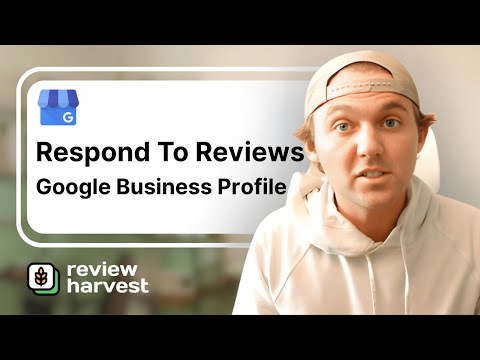
How to Reply to a Google Review From Your Google Business Profile
Open your Google Business Profile while signed in with the email that manages it, click Read reviews, click the review, click Reply and type your response. Each review can have only one reply, so replying again just edits the first one. If you are stuck on what to say, paste the review into ChatGPT and ask it for a response.
 11 min video12 steps
Review Harvest Guides
How to Set Up Review Harvest With Housecall Pro Using Zapier
Setting up Review Harvest with Housecall Pro takes three things: a personalized image, an integration, and a review reactivation. As recorded, the integration runs through a free Zapier account: a Zap triggers on a new completed job in Housecall Pro and sends that customer's name, phone number and email to Review Harvest. Then you export your Housecall Pro customer list as a CSV and import it to ask past customers for reviews.
 25 min video8 steps
Local SEO
8 Steps to Rank Your Google Business Profile in the Map Pack
To rank in the Google map pack, Google needs to know what you do, where you do it, and that you are good at it. Set the right primary category, keep your business name consistent everywhere, get reviews every week, fill out the whole profile, fix your website headings, list 30 to 40 services, add products that link to your service pages, and earn local backlinks and citations.
 7 min video8 steps
Review Harvest Guides
Why In-Person Review Requests Fail, and How to Automate Them With Review Harvest
Asking in person rarely produces a review, because a customer who says yes gets busy and forgets. Review Harvest automates the ask: it sends each customer a request with a personalized image, makes it easy to leave the review, and reminds them if they forget. Setup is four things: upload a photo, connect the software you run your business on (Jobber in this walkthrough), import your past customers, and start a review reactivation.
 16 min video12 steps
Review Harvest Guides
What Is Review Harvest and How Do You Set It Up?
Review Harvest is software that plugs into the CRM or booking software you already use and runs your Google review process: it requests reviews by text and email, follows up, and replies to the reviews that come in. To set it up, create an account, connect your Google Business Profile, connect your CRM, import your previous customers, add a personalized image, and start the review reactivation. Setup takes less than 10 minutes.
 5 min video11 steps
Google Reviews
Google Review Count Dropped? Count First, Then Request Reinstatement
When your Google review count drops overnight, count the reviews on your profile before assuming they are gone. In the drop that hit hundreds of thousands of profiles in February 2025, every profile we counted still had its reviews and only the counter was wrong. If reviews really are missing, go to support.google.com/business, choose Contact us, select reviews missing, and fill out the form with your profile ID, the number of reviews, the time frame and the reviewers' names.
 7 min video9 steps
Local SEO
Which Citations and Backlinks Help Your Google Business Profile Rank
Build citations, which are listings of your name, address and phone number on directories, and backlinks, which are links to your website from other sites. The ones that count are relevant to your local area and to your industry, and your details should be consistent across all of them. Creating the listings yourself is a very manual job, so it is normally worth $50 to $100 to pay a citation service to do it.
 8 min video9 steps
Google Business Profile
How to Change Your Google Business Profile Name and Appeal If Google Reverts It
To change your Google Business Profile name, open the profile, click Edit profile, change the name and save. It normally goes through within 10 minutes. Keywords in the business name are the second biggest map pack ranking factor in the 2023 SEO research study by Whitespark, so use your business name plus one main keyword. Adding a keyword that is not in your real name is technically against Google's terms and Google may change it back. If it does, register a DBA with the keyword in it and send the paperwork through Google's business name change form.
 13 min video12 steps
Google Business Profile
How to Fill Out Every Section of Your Google Business Profile
A complete Google Business Profile is the fourth most important ranking factor you can act on, after the ones covered earlier in the series. Click Edit profile and fill in every section: three to five additional categories, a plain-English description, opening date, phone, website, social links, service area, hours and special hours. Then add 50 to 100 photos, every relevant service including custom ones, and a few questions and answers.
 8 min video8 steps
Local SEO
How to Check and Fix the H1 and Heading Tags on Your Website
Heading tags are how Google's bots read your website, and the H1 tells them what the page is about. Give every page exactly one H1 that contains your main keyword and your location, and repeat the main keyword in the other headings where it reads naturally. In your website builder, choose the correct heading tag first and adjust the font afterward.
 7 min video6 steps
Google Reviews
How to Ask Customers for Google Reviews: Ask, Make It Easy, Remind, Automate
To get more Google reviews, ask every customer, send them your direct Google review link so it takes one click, remind the ones who have not done it yet, and automate the text and email parts so the asking never stops. A steady flow matters for ranking: Google would much rather see five reviews every week than 150 reviews in one week, and it trusts a review left yesterday far more than one left last year.
 4 min video5 steps
Local SEO
Internal Linking for Local SEO: Link Back to Your GBP Landing Page
Internal linking means the pages on your website link to each other, and above all back to your Google Business Profile landing page, which is the page listed as the website on your profile. Set up header and footer navigation that reaches every page, make sure no page you want ranked is left unlinked, and add a call to action on your blog, city and service pages that links to that landing page.
 5 min video9 steps
Google Business Profile
Link Each Google Business Profile Product to Its Own Service Page
Build a page on your website for each service you offer, then add each service as a product on your Google Business Profile with a link to that exact page. The product name, the page's URL and the page's main heading should all name the same service, because Google looks for that consistency. A dedicated page for each service was the 14th ranking factor in Whitespark's 2023 local SEO study.
 5 min video8 steps
Local SEO
What the Google Map Pack Is and How to Track Your Ranking in It
The map pack is the group of three local businesses Google shows under the sponsored results when someone searches a service plus an area. 42% of clicks on local searches land there, and those clicks and calls are free. To see where you stand, run a ranking grid in a tool such as Local Brand Manager or Local Falcon, which simulates the search from points across your area, and watch how often you land in the top three.
Rather have it all done for you?
The Local Authority System is your website, your reviews and your Google Business Profile, handled by one team for one flat rate. Only need the reviews? Review Harvest does that on its own.